
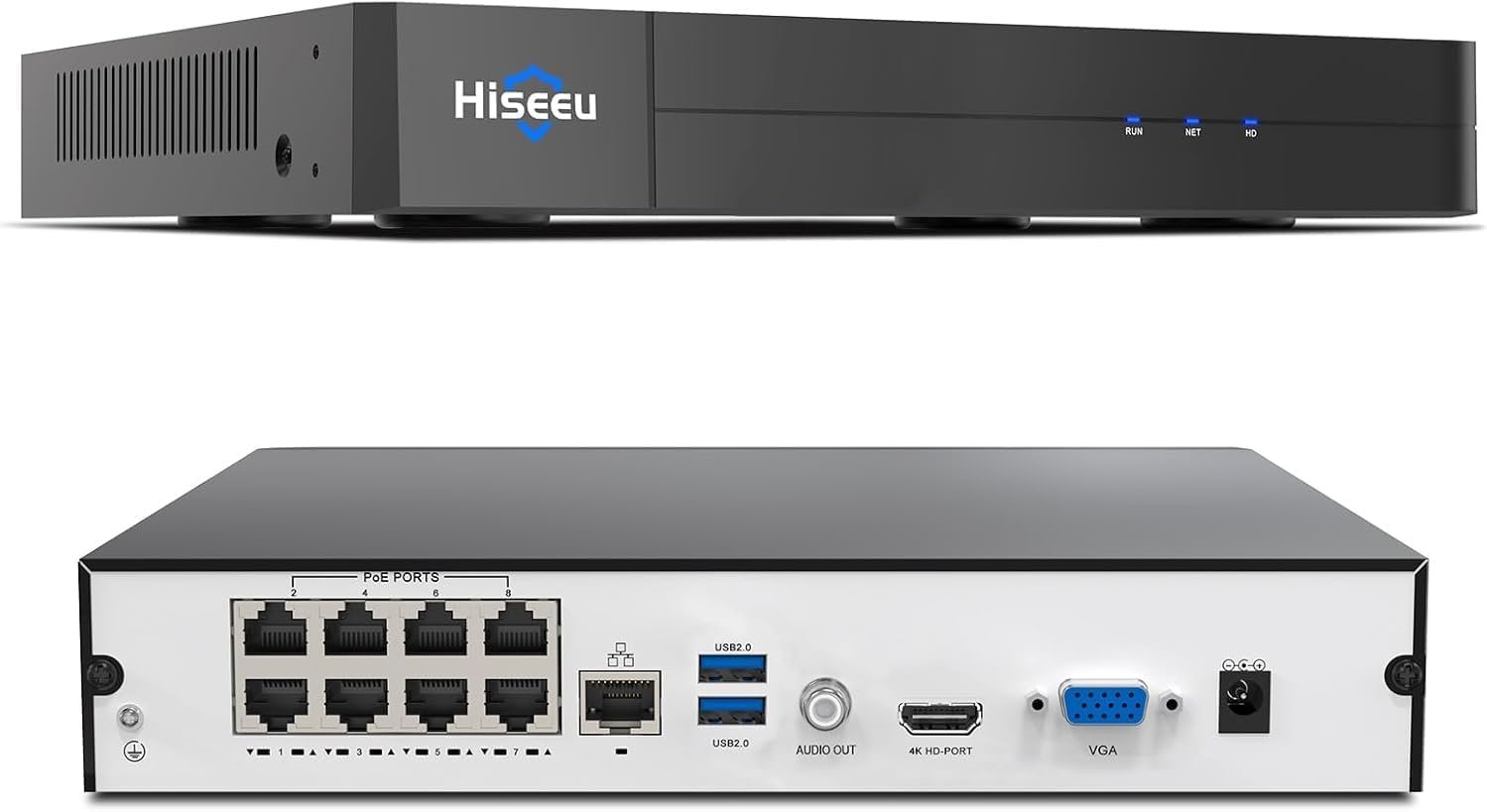
【16 channel Extendable】Hiseeu 8 Port 4K PoE Network Video Recorder NVR, Support 4K/2K/8MP/5MP/3MP/1080P PoE Camera, Free Remote Access, Motion Alarm, 24/7 Recording, Smart Playback, No Hard Disk Drive
$119.99
Related Products






Product description

Get Third-party Cameras Work with Hiseeu NVR
1.Check Channels D1-D8 IP address(Default is 172.16.0.1 Network Segment)2.Modify the IP Address of a Third-party Camera Similar to 172.16.0. X via the Camera Manufacturer’s Internal SoftwareEnable Virtual Host on Hiseeu NVR and Add third-party Cameras
The video showcases the product in use.The video guides you through product setup.The video compares multiple products.The video shows the product being unpacked. enable NVR virtual host
Connect NVR and Cameras
Make sure the resolution of the monitor is at least 1080PHold down the mouse wheel to adjust the resolution of the NVRConnect camera to PoE port via Ethernet cable,connect NVR to a monitor via HDMI/VGA cable,instert mouse and power adapter  Connect NVR and Cameras
Make sure the resolution of the monitor is at least 1080PHold down the mouse wheel to adjust the resolution of the NVRConnect camera to PoE port via Ethernet cable,connect NVR to a monitor via HDMI/VGA cable,instert mouse and power adapter
The video showcases the product in use.The video guides you through product setup.The video compares multiple products.The video shows the product being unpacked. connect NVR and camera
Change Camera’s IP address
Confirm the connection:Camera is on NVR or PoE SwitchConfirm the network segment that the camera needs to modifyContact the camera manufacturer to obtain an internal tool to modify the camera’s IP address  Change Camera’s IP address
Confirm the connection:Camera is on NVR or PoE SwitchConfirm the network segment that the camera needs to modifyContact the camera manufacturer to obtain an internal tool to modify the camera’s IP address
The video showcases the product in use.The video guides you through product setup.The video compares multiple products.The video shows the product being unpacked. change camera Ip address


1 Stable 4K Resolution
2 Support IP Cameras
3 Behavior Detection
4 Human/Vehicle Detecion
5 Advanced Technology


1 16 Channles Expendable
2 Protecy Privacy Area
3 24/7 Recording
4 Free Share
5 Smart Playback(No HDD)


1 Power Over Ethernet
2 No Subscription
3 Easy to Setup
4 Support up to 12TB HDD
 Work with/without the lnternet
The PoE NVR can be used without connecting a router for local recording and live video.But remote access requires an Internet connection.
 Free APP Accessible
No any ads and subscription for reomotr access for phone APP,PC client software and web page
【 Limited Compatibility】 This NVR is not fully compatible and not plug-and-play with third-party cameras, needs to turn on “Virtual Host” on the NVR and change the cameras’ IP address similar to 172.16.0.X before connecting the cameras
【8 Channel PoE NVR 16CH Expandable】This NVR built-in 8 PoE ports, can power on 8 PoE cameras at the same time over Ethernet cable, and extend up to 16 channels via a PoE switch(no included), max up to 16Pcs 4K 8MP cameras.If you need extra poe switch,you can search B09LH7P41X on Amazon
【Easy Remote Access & No Monthly fee】 Free APP “Guard Live” can be downloaded from App Store or Google Play. At anytime anywhere, we can view the live video remotely via phone APP or software “Guard Station” on PC/Mac/Tablet
【No Hard Disk Drive included】This NVR unit doesn’t come with a hard disk,and supports up to 12TB HDD.NVR can’t record playback videos without a HDD.If you need an extra hard drive,you can search B07DW4YGYM on Amazon
【Advanced H.265+ Video Compression】Advanced H.265+ technology can efficiently save hard drive storage up to 50%, for delivering sharper and smoother video streaming (No Hard Drive Included)
10 reviews for 【16 channel Extendable】Hiseeu 8 Port 4K PoE Network Video Recorder NVR, Support 4K/2K/8MP/5MP/3MP/1080P PoE Camera, Free Remote Access, Motion Alarm, 24/7 Recording, Smart Playback, No Hard Disk Drive
Add a review
$119.99
Raffaele M Buono –
Amazon Customer –
Papa Bill –
Buck Ward –
Eagle-Jan –
John c magruder –
Miguel Rivera –
Chris from PA –
jBasH –
Amazon Customer –